Field Day Commander Bring your club together for Field Day.

Plan the stations, people, and gear. Bring every station's contacts into one log, track NTS traffic and bonuses, and have your score ready when the weekend ends. Free, open-source software for ARRL Field Day and Winter Field Day.

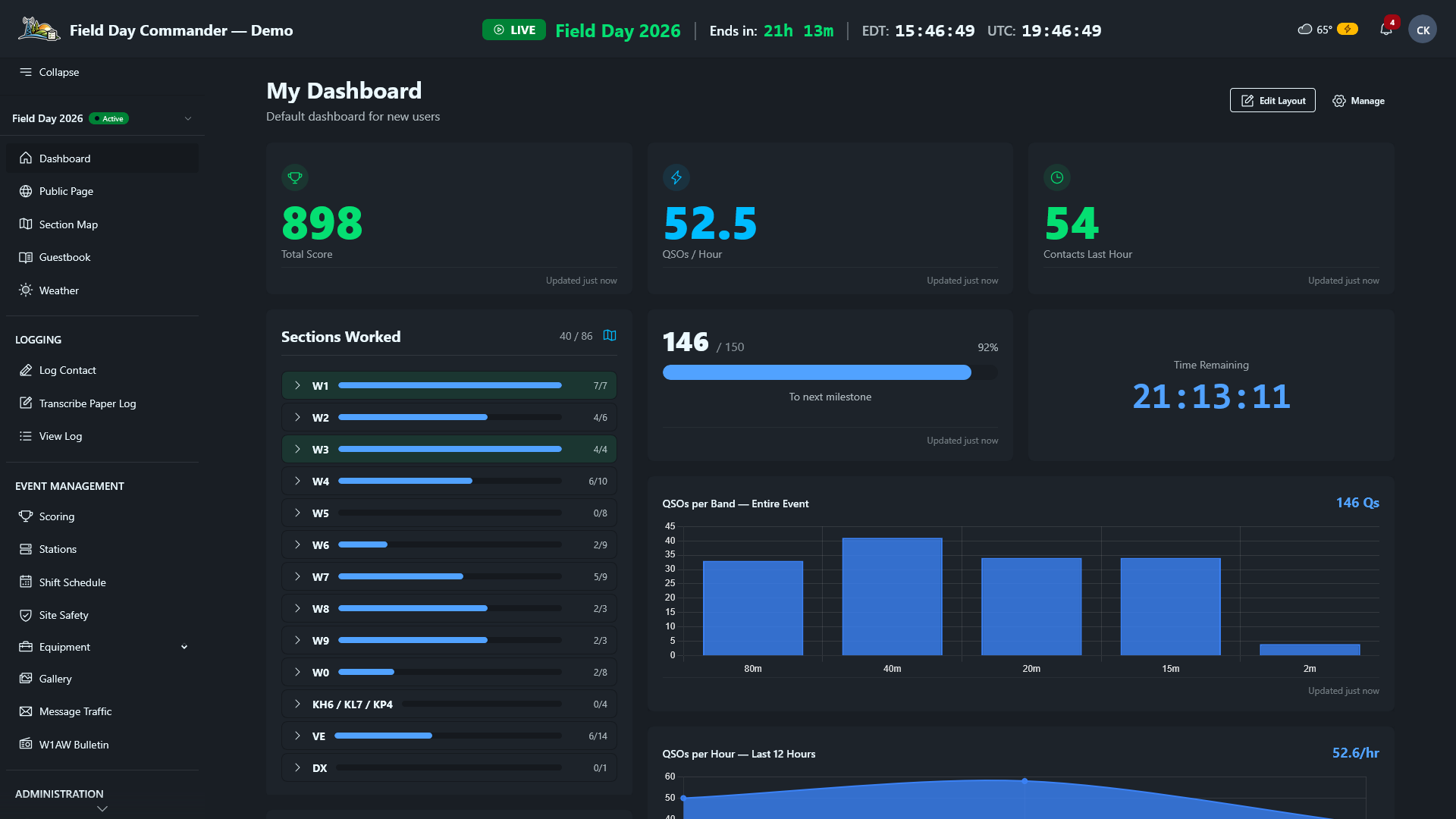
Field Day Commander dashboard during Field Day: total score 898, 52.5 QSOs per hour, 40 of 86 sections worked, a time-remaining countdown, and a chart of QSOs per band

Arrive ready to get on the air.

Bring the gear list, volunteer schedule, and safety preparations together before setup day.

  1. Track every piece of gear

    Know whether each station has what it needs. Members commit gear, you assign it to stations, and delivery and return checklists help keep borrowed equipment accounted for.

    • Club gear and members' gear in one inventory
    • Gear assigned to each station
    • Printable delivery and return checklists
  2. Find the gaps before it's 2 AM.

    Let volunteers sign up for shifts and spot uncovered hours before the weekend. Share the work across operators, GOTA coaches, and safety officers.

    • Shift sign-up with coverage gaps shown
    • Operator, GOTA coach, and safety officer roles
    • The safety checklist for your event
  3. Keep safety in view

    Work through the event's safety checklist, then keep operators informed as conditions change. Post local alerts on every screen; optional internet-fed NWS warnings appear alongside them.

    • Event safety checklists
    • Local storm and lightning alerts
    • Optional NWS warnings with internet access
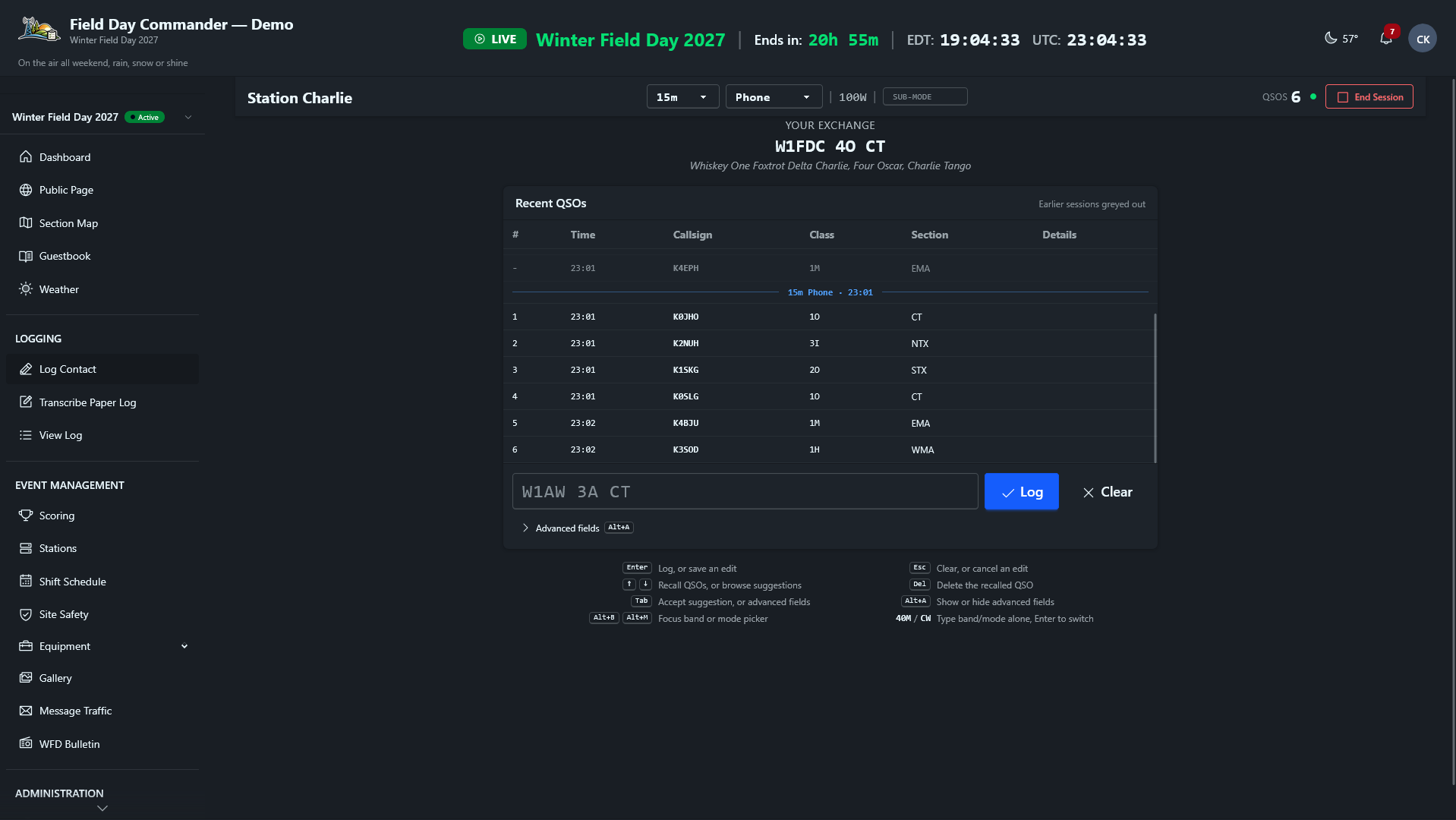
Field Day Commander contact logging screen with exchange entry and recent contacts

Take your shift. Work the bands.

Open the built-in logger on a laptop, tablet, or phone. Every contact joins the club's shared log and updates the live score.

  • Catch the dupe before you log it.

    Live duplicate checks look across stations. Exchange validation helps catch mistakes while the contact is still in front of you.

  • Make the next shift easy.

    On a shared computer set up in station mode, operators start their turn with their callsign.

  • Keep the logger you know.

    Built-in network connections receive contacts from N3FJP, N1MM Logger+, WSJT-X, JTDX, and fldigi. No double entry. You can also import an ADIF file.

  • Keep logging through a connection drop.

    If the browser loses contact with the server, built-in logging queues contacts locally and syncs them when the connection returns.

Explore the logging features →

Track NTS traffic. Keep bonus points in view.

Keep the work beyond QSOs visible: radiograms, visitor sign-ins, GOTA activity, and bonus claims. See what's been earned and what still needs attention before the event ends.

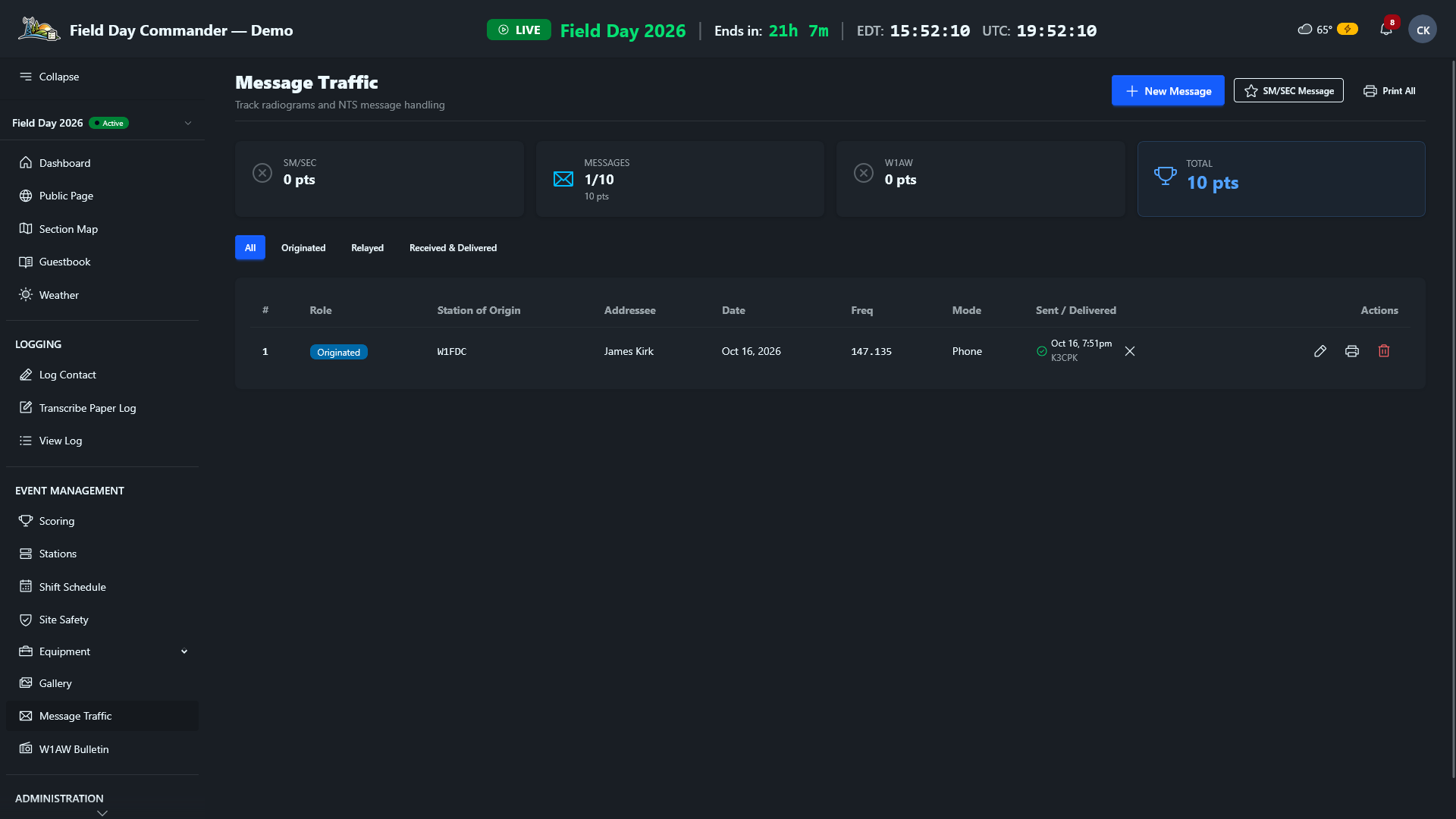
Field Day Commander Message Traffic screen for tracking NTS radiograms and message-related bonuses
  • Record and follow your message traffic

    Record originated, relayed, and received radiograms, track sent status, and follow the running message count and Field Day points.

    Explore message traffic →
  • Track the SM/SEC message and W1AW bulletin

    Track your Section Manager or Section Emergency Coordinator message separately. Save the over-the-air W1AW bulletin copy for your submission records.

  • Automatic tracking and manual claims

    Eligible visitor sign-ins, GOTA activity, message traffic, and safety checklists feed the bonus tally. Add manual claims for activities such as publicity and education, then review the breakdown with your QSO score.

    See how bonus tracking works →
  • Plan your bonuses and keep the proof

    Choose activities and plan the evidence with the bonus guide. Winter Field Day uses its own objectives; message traffic stays available for your records without bonus points.

    Plan your bonuses and objectives →
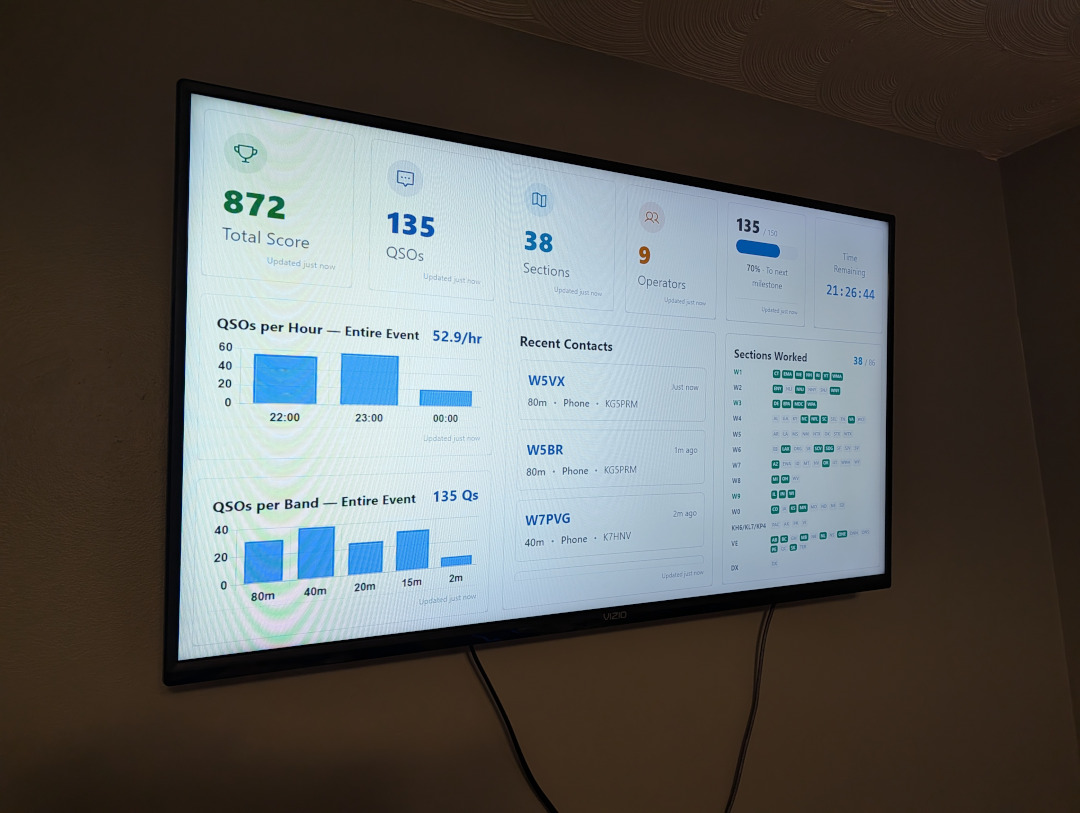
A wall-mounted TV showing the Field Day Commander dashboard: total score 872, 135 QSOs, 38 sections, 9 operators, and 21:26:44 remaining, with QSO rate and band charts, recent contacts, and a grid of sections worked

Put the club's progress on the big screen.

Give operators between shifts and visitors at the site a live view of the weekend: score, QSO rate, sections worked, and time remaining.

  • Score and rate

    Follow the score and see when the bands are producing.

  • Sections worked

    Watch the map fill in as the club reaches new sections.

  • Time remaining

    See how much operating time is left to make the next contact.

From setup to submission.

Give the team a shared record of the weekend, so the chairman isn't left gathering separate logs and chasing bonus details after teardown.

  • Share the responsibility.

    Let event managers coordinate the event, station captains prepare their stations, and operators log contacts. Adjustable permissions let you fit access to the way your club works.

  • Review the score and claims together.

    Check the combined QSO score and Field Day bonuses, or Winter Field Day objectives, before preparing the entry.

  • Export the entry from the shared log.

    Download the event's Cabrillo log and submission summary. Export ADIF for the club log or CSV for your own analysis.

    See the Field Day submission walkthrough →
  • Keep the weekend's records.

    The log, event photos, and reports give your club material to review and share after the radios are packed away.

Will it fit our club?

All questions →
Does it need internet?
No. Once installed, Field Day Commander runs on your local network without internet. Logging, scoring, scheduling, and bonus tracking all work offline. Internet is only needed for optional features like live weather updates and email.
Does it work with N3FJP, N1MM Logger+, or WSJT-X?
Yes. Keep the software your operators know. Built-in network connections bring contacts from N3FJP, N1MM Logger+, WSJT-X, JTDX, and fldigi into the shared log.
Does it handle Winter Field Day?
Yes, set the event type to Winter Field Day and the scoring, objectives, and Cabrillo log follow the WFDA rules.
What does it cost?
Nothing. It's free and open source under the GPL v3, with no paid tiers.

Bring your next Field Day together.

Take a look around the live demo, then share it with your Field Day team. When you're ready, the install guide walks you through setting up your club's server.

Set up your club's server

Run these commands on your server. Replace YOUR_SERVER_HOSTNAME with a hostname your station devices can resolve. For a Pi named fd-commander, that may be fd-commander.local; verify it on your network first. Choose your server address.

  1. Clone git clone https://github.com/ckoval7/fielddaycommander.git
  2. Enter cd fielddaycommander
  3. Deploy sudo ./deploy.sh --domain YOUR_SERVER_HOSTNAME
    • ✓ Dependencies
    • ✓ Database
    • ✓ Web server
  4. Open http://YOUR_SERVER_HOSTNAME using the same address Ready for Field Day · 73